
Every AI plan,
one popup.
Your AI subscriptions have limits: a five-hour session window, a weekly cap, a monthly pool of requests. AI Quota Monitor shows all of them in one place, with live reset countdowns, read through the login already in your browser.
 ChatGPT & Codex
 Claude
 Cursor
 Gemini
 GitHub Copilot
 GLM Coding Plan
 Grok
 Kimi Code
 MiniMax
 Qwen Coding Plan
 Xiaomi MiMo
What you get
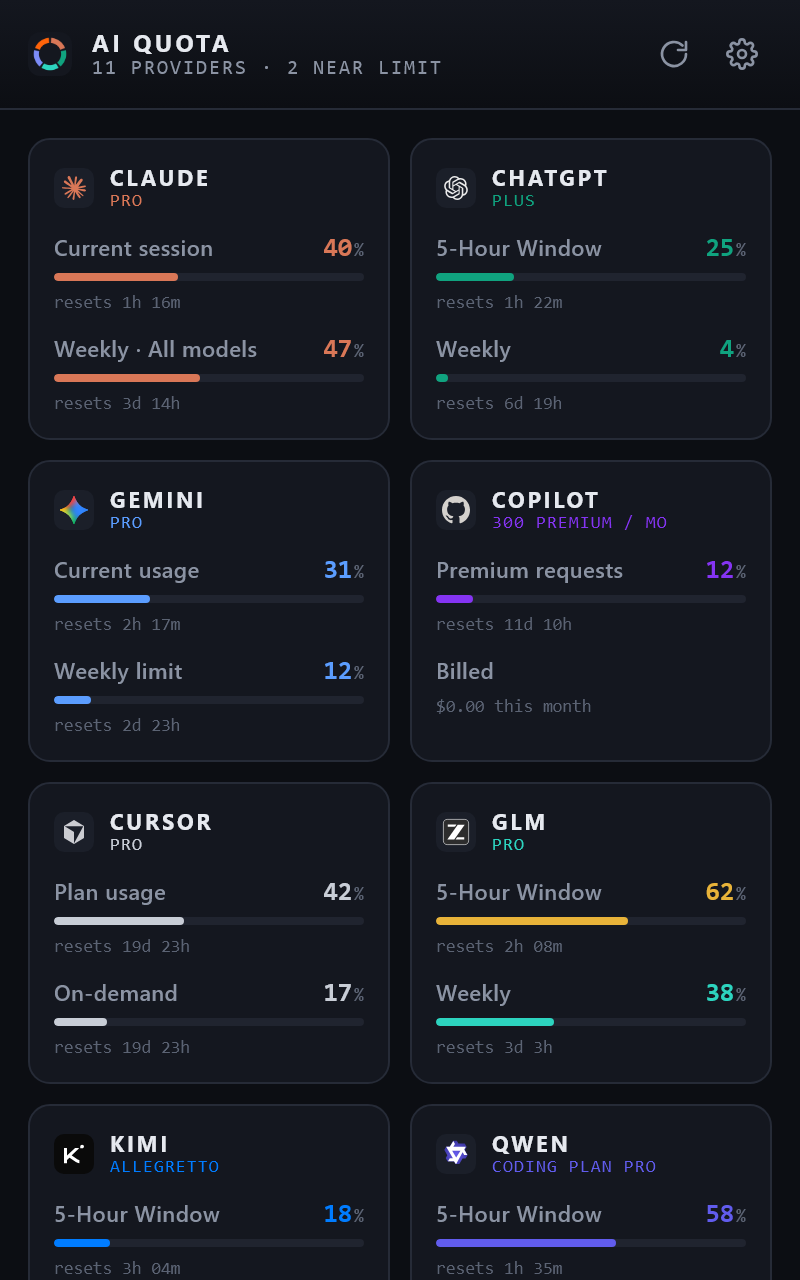
The numbers each service shows on its own usage page, collected into one dashboard and refreshed every five minutes.
Dashboard
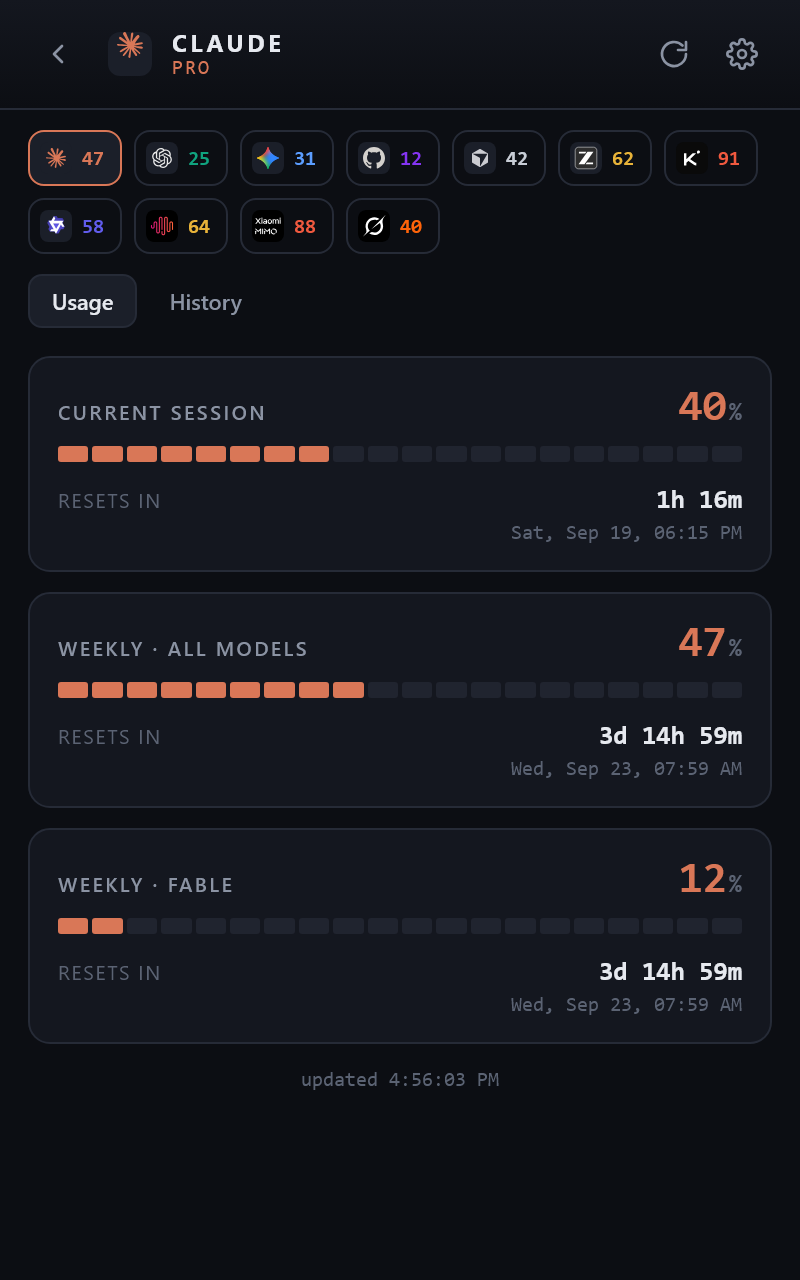
One tile per service with its main usage windows and live reset countdowns. Click a tile for the full detail view with every window, per-model limits, plan and credits.
Toolbar badge
The fullest window across all your services, or one chosen service, as a number, a colour ring in ten percent steps, or both. Hover for the details.
Notifications
One desktop notification per window and reset cycle when a limit crosses the threshold you set. Nothing nags twice.
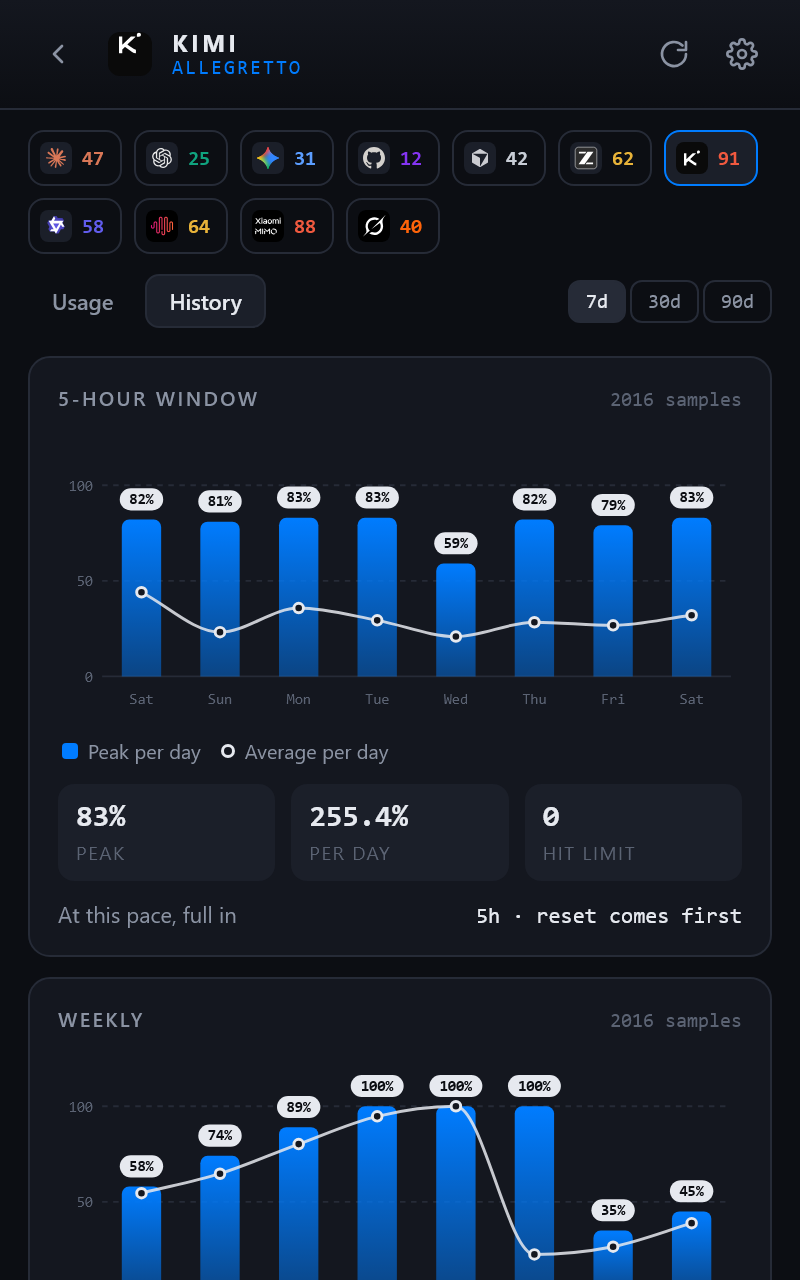
Usage history
A local record of every refresh, with charts per window over 7, 30 or 90 days, peaks, daily pace, and a projection of when a window runs out. Export as CSV or JSON.
Side panel
The same dashboard docked in Chrome's side panel, so it stays open next to your pages while you work.
Your layout
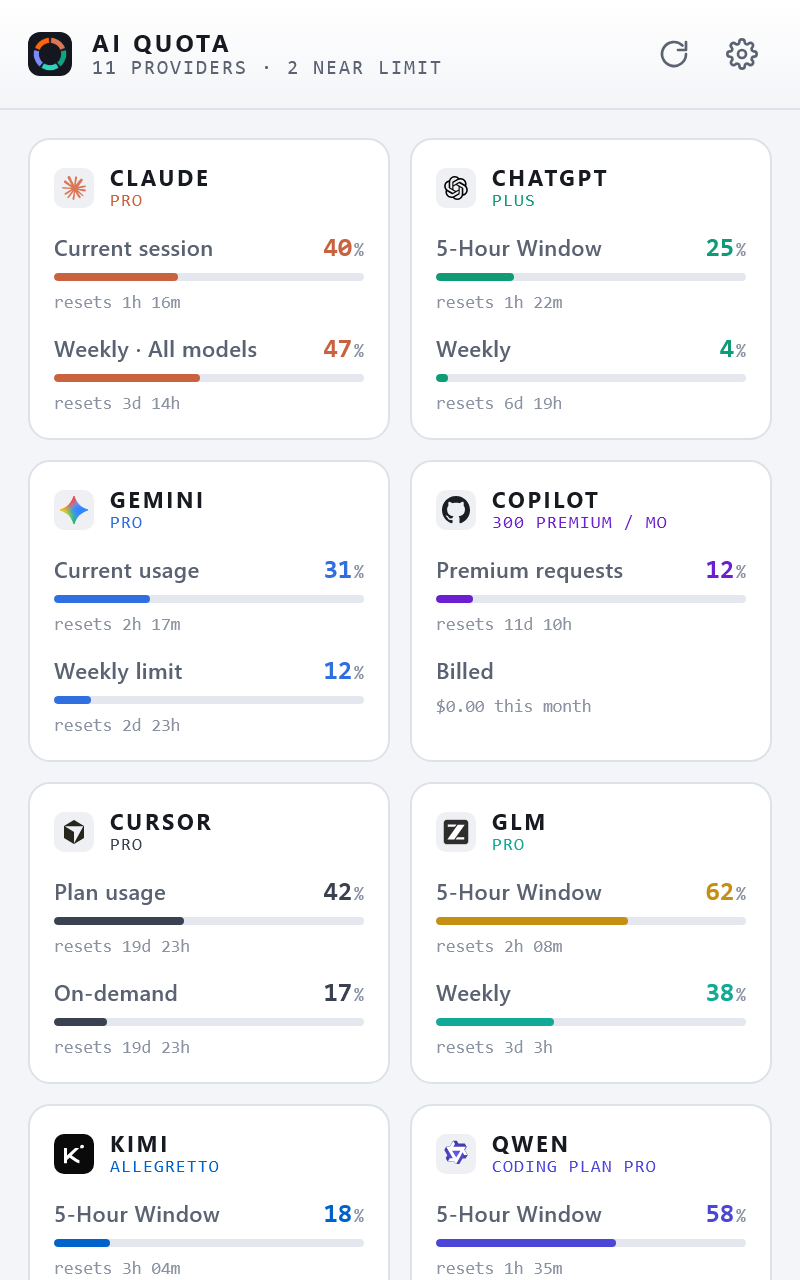
Dark or light theme, one or two tile columns, and the services in the order you want: default, A to Z, fullest first, or dragged into place.
A closer look
How it works
There is nothing to sign up for. The extension reads each service the same way its own usage page does.
Install and pin it
Add the extension from the Chrome Web Store, then click the puzzle icon in Chrome's toolbar and the pin next to AI Quota Monitor so the badge is always visible. A welcome page shows you where.
Switch a service on
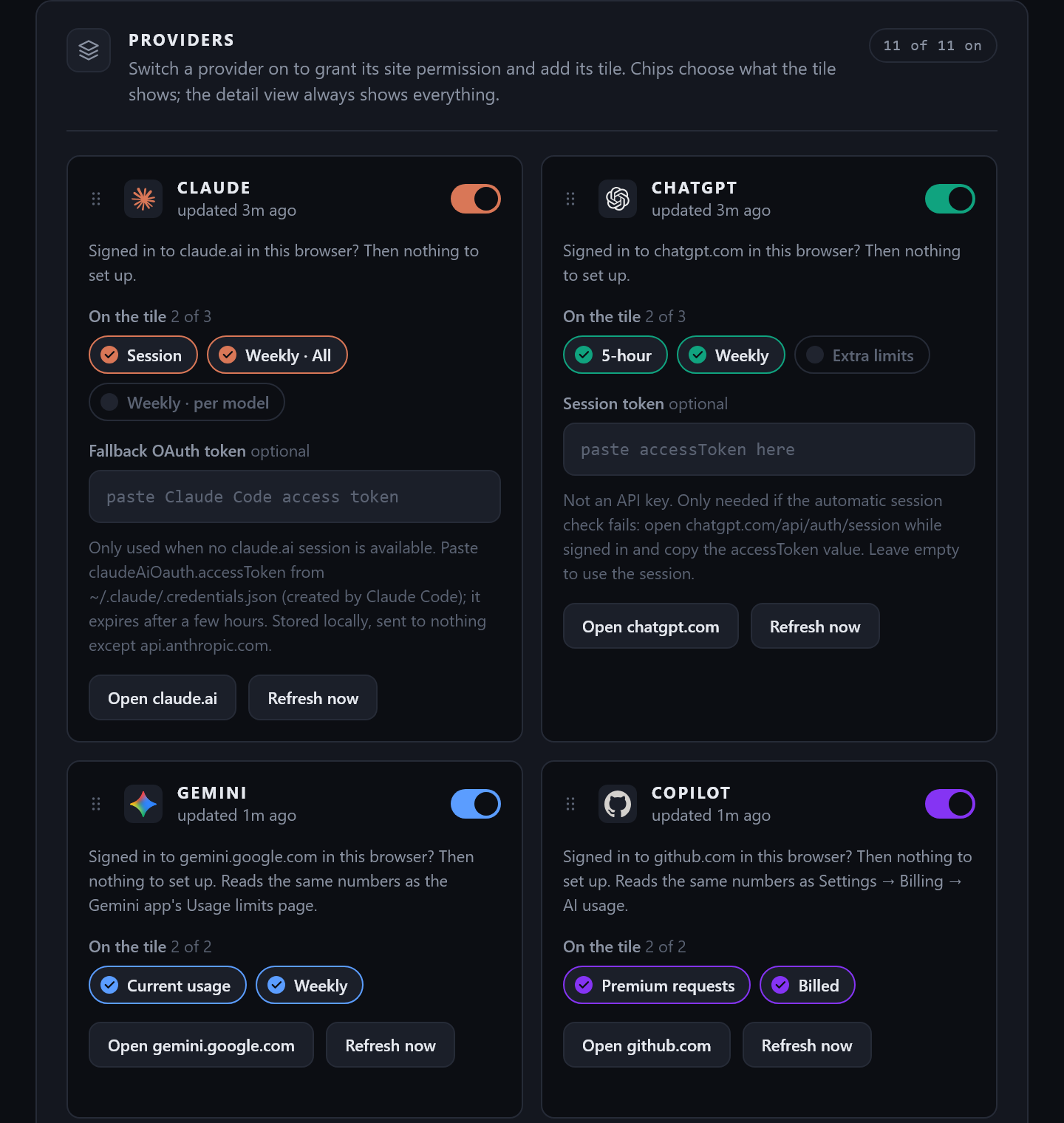
Open the settings page. Every service is off by default; each switch asks Chrome for permission to that one site, nothing more. If you are signed in there, the numbers appear right away.
Glance at the badge
The badge shows your fullest window. Open the popup for the rest, or dock it in the side panel. Refreshes every five minutes.
Private by design
The extension has no backend. There is nowhere for your data to go.
- Stored in this browser only. Settings, the last snapshot and the usage history live in Chrome's extension storage on your device.
- Talks only to the services themselves. Requests go to each provider's own usage endpoint with your existing login, and to nothing else.
- No analytics, no accounts. Nothing is sent to us. We could not see your usage if we wanted to.
- Permissions per service. Switch a service off and its site permission is gone with it. Export or delete the history any time.
FAQ
Do I need API keys?
No. The extension reads each service through the login already in your browser. Two of the coding plans also accept the API key your coding tools use, as an option, so their numbers stay fresh even when no tab of that site is open.
Which services are supported?
Eleven at the moment: ChatGPT and Codex, Claude, Cursor, Gemini, GitHub Copilot, GLM Coding Plan, Grok, Kimi Code, MiniMax, Qwen Coding Plan and Xiaomi MiMo. The detail view shows whatever each service reports, including per-model limits, credits and team activity where they exist.
Why does it ask for permission to a site?
To read your usage from that site with your login. Each permission is requested only when you switch that service on, and only for that site. Services you leave off are never contacted.
What happens if I cancel a subscription?
The extension shows whatever the service still reports. Some services fall back to a free tier with a single total, others report no limits at all; in that case the tile says so instead of showing stale numbers.
Is the usage history sent anywhere?
No. It is recorded on your device on every refresh, at five-minute detail for a week, hourly for 90 days and daily beyond that. You can export it as CSV or JSON, switch it off, or delete it in settings.
Is it affiliated with any of the services?
No. AI Quota Monitor is an independent project. Service names and logos are trademarks of their respective owners and are used only to identify the services whose usage the extension displays.